



日々、SNSや匿名掲示板などでは様々な言葉が誕生しています。まだネット上で使う分には問題はないですが、中には現実でも同じように使用する人もいます。
女性よりも男性の方がこういったネット上での言葉を多く使っており、実際に聞いた女性がドン引きすることも珍しくありません。
そこで今回は男性が使っていたネット上の言葉遣いで最も幻滅したものを紹介していきたいと思います。きっと共感できることも多いのではないでしょうか?男性が見ているなら使う時の場所や場面は選ぶようにした方が良いと思います。
また逆に男性がドン引きする女性の言葉遣いもまとめてご紹介するので、日常で使っていないか是非チェックしてみてください♪

目次
男性に使われるとドン引きする言葉
どれだけイケメンでも使われたらドン引きするという言葉があると思います。ネット上でも少し「うわぁ…」と思うような言葉を現実で使われるとどれだけ好きな人でも少し気持ちが冷めてしまうと思います。男性はTPOを考えて言葉を選択した方が良さそうですね。むしろ同性でもネット用語を日常で使っているのを聞くと引くこともありますよね?やはり普段は普通の言葉を使うのが一番だと思います。では女性がドン引きする言葉を以下の5つに分けて紹介していきます。
- 〇〇だお
- ワロタ
- 〇〇ンゴ
- テヘペロ
- 〇〇なんですけどー
きっと確かに引くわというものばかりだと思います。あまり聞かないような言葉もあると思うので、チェックしてみてください!
女性がドン引きする言葉その1:「〇〇だお」
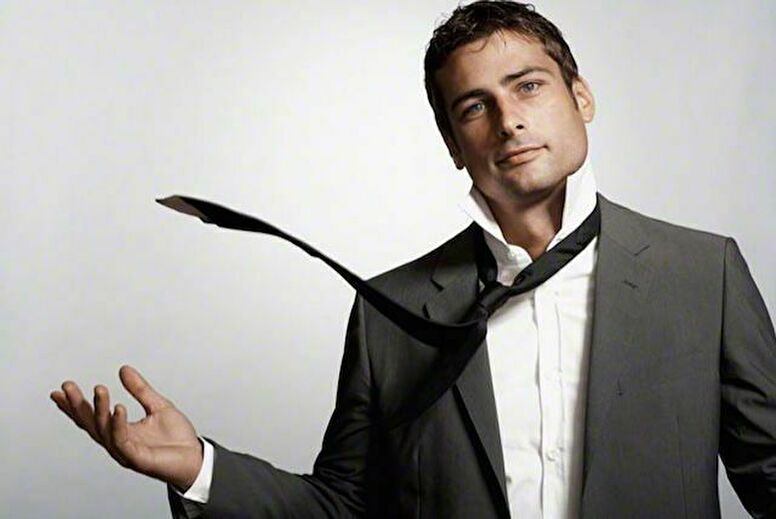
多くの女性が嫌っているのがこの「〇〇だお」です。ネット上ではかなり多用されており、匿名掲示板を見れば当たり前のように使われています。使い方としては「〇〇だよ」の代わりに使うため「今日はいつもより早く変えれそうだお」とか語尾に使うものです。
友達だけではなく彼氏や夫が使っても嫌だという意見が多いようですね。たとえノリで使ったとしても嫌いになるという人もいるようです。確かにいい大人が「〇〇だお」は流石にキモイです。ネットと現実をしっかりと分けることは必要になりそうですね。女性でも使う人がいますが、もしかすると男性から引かれている可能性もあるので注意しましょう。
女性がドン引きする言葉その2:「ワロタ」

2つ目は「ワロタ」です。今まで掲示板などでは笑っていることを表すネットスラングはコロコロと変貌してきました。「(笑)」や「ww」とか最近だと「草」が多いですね。それとは別に「ワロタ」と言う言葉があります。笑ったわとか、面白いことを言ったことに対しての反応で使われています。他の言い方があるなら「草生える」なども同異義語だと思います。
このワロタもネット上では日常的に使われており、実際に現実で使っている人も少なくないと思います。しかし女性たちからの評判は良くないようですね。急にワロタって言われてもぶっちゃけどういう反応をすればいいのか分かりませんよね?「あっ…この人は合わないな」といきなり思われても仕方がないと思います。女性で使う人は少ないと思いますが、注意するようにしましょう。
女性がドン引きする言葉その3:「〇〇ンゴ」

「〇〇ンゴ」と言う言葉もドン引きされると思います。このンゴは掲示板の中でもなんjと言う掲示板の住民が使用する言葉で元々はなんJ語の一種でした。しかし最近はなんJ関係なくネット上でも使用されています。実際にSNSなどでは良く分からずにとりあえず流行っているからと言って使っている人も少なくない様です。〇〇だおと同様にリアルで使われたらドン引き間違いなしです。
最近ではテレビでも流行している言葉としてンゴが取り上げられたりしますが、あくまでもネット上での流行なので、現実で使わないように注意するようにしましょう。
女性がドン引きする言葉その4:「テヘペロ」

「テヘペロ」もかなり引かれる言葉となっているようです。基本的に何か失敗した時などの照れ笑いをする時に笑ってごまかす時に使われる言葉です。文字通り「テヘッ」と笑って「ペロッ」と舌を出すという仕草を言葉にしたものです。
実際に女子高生の間での流行しましたし、使っていた人も多いのですが男性がやるとなるとまた話は別ですね。ましてや高校生ならともかく、良いとした成人男性がテヘペロは流石にキツイですね。後、古すぎますねw流行したのは2009~2010とも言われているのでもう10年前になります。未だに男性でテヘペロはヤバいので使うのはやめて欲しいですね。
女性がドン引きする言葉その5:「〇〇なんですけどー」

最後は普段から使われていることが多い、「〇〇なんですけどー」という言葉遣いです。何かの意見を否定するような言葉ですが、使われた方はドン引きする路言うよりも、イラとするようです。これはあまりネットが関係ないようにも思います。言い方が人を馬鹿にしたように聞こえるため、女性からすれば言われたくない言葉になっているようです。
普通に同性から言われてもイラっとする言葉遣いでもあると思います。なんですけどーだけではなく、語尾を伸ばす言い方を不快に思う人は多いですね。女性だけではなく男性から嫌われることもあると思います。

男性がドン引きする女性の言葉遣い
今度は逆に男性が引いてしまう女性の言葉遣いについて紹介していきたいともいます。普段何気なく使っている言葉ですが、男性からすると嫌だと感じることもあるようです。日常で使ってしまっている人は、意識して使わないようにするべきだと思います。今回は以下の言葉で紹介します。
- でも
- マジかよ
- だから言ったじゃん
- 可愛い
- 超〇〇なんだけど
普段使っているという人もいると思うので是非読んでみてください。
男性がドン引きする言葉その1:「でも」

これは何か言われたことに対して「でも」と反論する時の「でも」ではありません。ではどこで使う言葉なのかと言うと彼や夫に「今日のご飯何が食べたい?」と聞かれた時に「ラーメン”でも”良いよ」という時です。質問に対して〇〇でも良いよと言う言葉で返すととても曖昧に聞こえてしまいます。
また男性は途中でやっぱりやめたといわれる不安を感じてしまいます。この「でも」を使ってしまう女性はかなり多いですが、嫌う男性もかなり多くいるようです。ズバッと自分の意思を相手に伝えることは重要になると思います。
男性がドン引きする言葉その2:「マジかよ」

これはマジかよに限らず「ちげーよ」と「うぜー」とか女性らしさとはかけ離れているような、男性っぽい言葉遣い全般を指すと思います。マジかよではなく「本当に?」とかちげーとではなく「違うよ」と正しい日本語を使って欲しいと思っている男性はかなり多いようです。
どれだけ親しい仲になっても女性らしさを忘れずに、なるべく上品な言葉遣いや話し方をするのが良いと思います。あざとくならないようにすることも重要ですが、ちゃんとした日本語を使用するようにしましょう。他にも「メシ」や「うめー」などもNGのようです。ご飯、美味しいという言葉がスッと出るように、日々の意識を高めましょう。
男性がドン引きする言葉その3:「だから言ったじゃん」

これは女性が使ってしまいがちな言葉ですね。何が問題なのかと言うと「言っていない」ことです。もしくはちゃんとは言っていないのです。頭では考えていてもこれを言ったら嫌がるかな?とあえて口にはしないものの、やっぱりそうなったかと思った時に思わず言ってしまう人も多いと思います。
また本当に言っていたとしても「だから言ったじゃん」を言われることを嫌う人は多いようです。男性からすると事の責任を押し付けられているような感覚になり、喧嘩に発展することも少なくないと思います。
男性がドン引きする言葉その4:「可愛い」

これは同性からも嫌われやすいですが、何でも「可愛い」と発言する女性にうんざりしている男性は多くいます。気持ちは分かりますが、「いやこれのどこが可愛いの?」というものにまでとりあえず可愛いということはオススメしません。男性だけではなく女性からも嫌われる可能性が高いです。
また一緒に買い物をしている時に「可愛い」と言われると買って欲しいと思っているのかな?と勘違いされることもあります。やたら滅多に可愛いということは控えた方が良さそうです。
男性がドン引きする言葉その5:「超〇〇なんだけど」

悪口で言ったつもりではなくても「超〇〇なんだけど」と言われるとバカにされていると感じる人は少なくない様です。男性と話する時だけではなく目上の人と話しをする時も気を付けるようにしましょう。思ったことはすぐに口に出さずに、一度自分の中で考えてから発言することを癖にしましょう。自分が思ったことと相手が感じることはちゃんと伝えないと勘違いされてしまいます。
また何でも超を付けることを嫌う人も多いので、普通の会話を心がけるようにしましょう。「この子は少しバカなのかな?」と思われても仕方がないと思います。超を付けることが癖になっている人は頑張って直すようにしましょう。
まとめ
今回は女性がドン引きする男性の言葉遣いに関して記事で紹介していきました。中でも「〇〇だお」はドン引きする女性が多くいるようですね。最近ではネット上の言葉を現実でも使う人はかなり増えてきています。現実じゃなくてもSNSで使う人も多く、当たり前のようになってきていますが、実際にはドン引きしている人は多いようです。
また男性が引く言葉についても紹介しました。ネット用語とかではないですが、使うと嫌われやすい言葉ではあると思います。もし日常で使っている人がいたら、意識して使わないようにする必要はあると思います。
今回の記事を書いてて思ったことは最近は言葉遊びのように、新たに言葉が生まれてはすぐに古いと言われてしまいます。流行っている言葉は使いたくもなりますが、ちゃんとした日本語を使うことが一番良いと感じました。